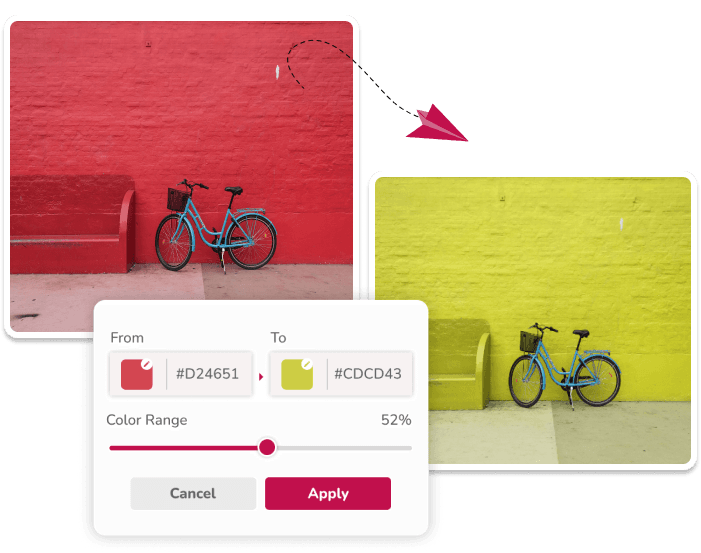
What the Project Does
The editor lets you choose source and target colors, add multiple replacement pairs, adjust tolerance, and use a separate shade mode for black, white, and gray. It accepts PNG and JPEG input and downloads the edited result as a PNG.
How Color Processing Works
The application reads the selected file through a browser object URL and performs pixel changes on a canvas. Normal mode matches hues and adjusts lightness; shade mode also considers lightness. Fully transparent pixels are skipped and existing alpha values are retained.
The processing code runs in your browser. The website separately uses analytics and advertising services, which are described in the Privacy Policy.
Known Limitations
The tool does not identify objects or create masks. A matching hue can change anywhere in the image, including unrelated areas. Results vary with gradients, compression, reflections, and image size. Entered target HEX values are references rather than a guarantee that every output pixel will have that exact value.
Use a masking editor for object-level selection and a color-managed professional workflow for print, manufacturing, or other work that requires exact color output.
Related Image Color Workflows
Start with the image color editor, then use our PNG color guide, JPG color guide, or logo recoloring guide for format-specific advice.
Content, Corrections, and Funding
Product descriptions on this site are intended to reflect the current editor. Guides explain suitable workflows and limitations rather than promising a result for every image. If you find an error, send it through the contact page.
The site displays advertising in the editor and uses analytics to understand site usage. No testimonials, customer counts, team credentials, or performance guarantees are claimed here.