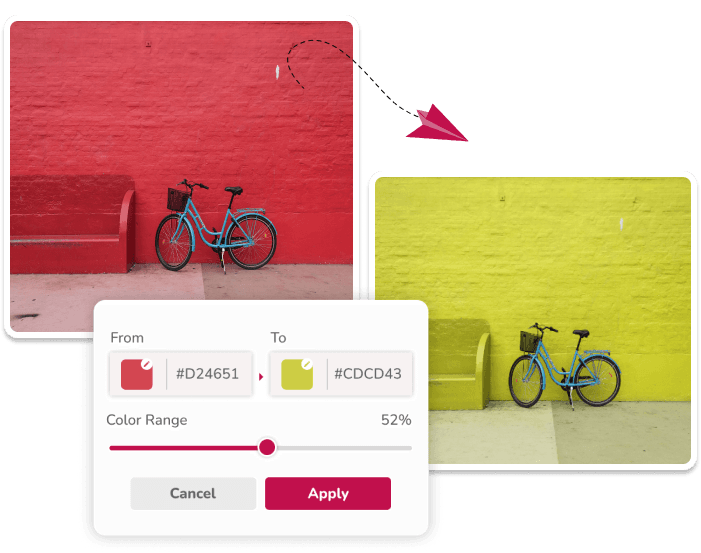
How PNG Color Replacement Works
PNG files are common for icons, stickers, logos, overlays, and transparent graphics. When you replace a color in a PNG, the important detail is preserving transparency while changing only the visible colored pixels.
Image Color Changer keeps transparent pixels transparent. That makes it useful for simple design assets where you need a new color but do not want to rebuild the file in a professional editor.
Recolor a PNG Step by Step
Start with the cleanest PNG export you have, not a screenshot. Enter the current color and the new color as HEX references, begin with a low tolerance, and raise it only when edge pixels or shadows need to be included.
- Choose a PNG with clear separation between colors.
- Set the source color and the target color.
- Apply the change with low tolerance first.
- Inspect edges, shadows, and transparent areas.
- Increase tolerance gradually or add another replacement pair.
- Download the result as PNG and test it on light and dark backgrounds.
Best PNG Files for Recoloring
Flat graphics with clear edges are easiest to recolor. Icons, badges, simple illustrations, app graphics, and transparent product overlays usually work better than complex photos saved as PNG.
If the PNG has anti-aliased edges, adjust tolerance gradually and inspect the result. Edge pixels can contain blended hues, and one setting may not change every edge without also affecting other colors.
- Choose PNG for transparent backgrounds.
- Use lower tolerance for flat, single-color icons.
- Adjust tolerance gradually for blended edges and gradients.
- Download and test the file on both light and dark backgrounds.
Common PNG Recoloring Uses
Designers and marketers often need quick color variants for icons, social graphics, badges, watermarks, and interface assets. A PNG color replacer is useful when the structure of the graphic is already correct and only the palette needs to change.
It is also handy for seasonal campaigns. A black icon can become white for a dark banner, a blue badge can become red for a sale graphic, or a neutral sticker can be recolored to match a brand palette.
Avoiding Edge and Transparency Problems
After replacing the color, inspect the edges of the PNG. If old-color pixels remain, increase tolerance slightly. If too much of the design changes, lower tolerance and select a more precise source color.
For graphics with shadows, recolor the main color first, then add a second replacement for the shadow color if it still looks mismatched.
Questions About This Workflow
Does PNG transparency stay transparent?
Yes. Transparent pixels remain transparent while visible pixels can be recolored.
Can I recolor a white PNG?
Yes. Use black and white shade mode when recoloring white, black, gray, or low-saturation PNG graphics.
Why do I see an outline after recoloring?
The outline may be made of blended anti-aliased pixels. Increase tolerance gradually or add a replacement for the edge shade, while checking that unrelated colors do not change.
Can I change more than one color in a PNG?
Yes. Add one source-target pair per color and inspect the preview after each change, because overlapping tolerance ranges can interact.
Related Workflows
Use the image color changer for the broad replacement workflow.