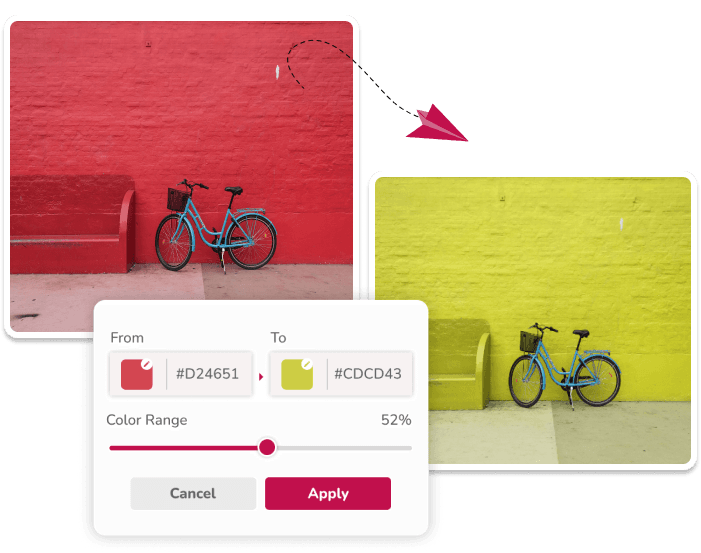
Recolor PNG, JPG, JPEG, and Simple Logo Images
Manual Source and Target Colors
Enter HEX values or use supported browser color pickers to set the hue to match and the target color reference.
Multiple Replacement Pairs
Add more than one source and target pair before applying a palette change to the image.
Tolerance and Shade Controls
Adjust the matching range, or use the separate black-and-white shade mode for low-saturation colors.
Browser Canvas Processing
The editing code reads pixels in your browser. Fully transparent pixels are skipped and alpha values are retained in PNG output.
Current Product Specifications
- Input: one PNG, JPG, or JPEG file at a time.
- Output: PNG.
- Matching: hue-based tolerance with a separate grayscale mode.
- Transparency: existing alpha values are retained.
- Limits: processing is capped at 16 megapixels to reduce browser memory failures; speed still depends on the browser and device.
Important Limitations
Matching is applied across the image; the editor does not detect an object, create a mask, or isolate edges. Similar hues elsewhere may change. Complex scenes, reflective materials, and print-accurate color work may need a masking or color-managed editor.
Learn how to recolor a transparent PNG, see the logo recoloring workflow, read the color editing guides, or use the image color changer.
Choose the Right Color-Replacement Workflow
Use the image color editor for a general overview, the PNG color changer for transparent graphics, the JPG color changer for photographs, or the logo color changer for simple logo previews.
Feature FAQ
What does color tolerance do?
Tolerance controls how widely the editor matches nearby hues. Lower values make a narrower match; higher values can include more shades and may also change similar colors elsewhere.
Can I change multiple colors in one image?
Yes. Add another replacement pair, choose each source and target color, and apply the replacements together.
What files can I use and download?
The file chooser accepts one PNG, JPG, or JPEG at a time. The current editor downloads the result as a PNG.
When should I use black and white shade mode?
Use it for black, white, gray, and other low-saturation shades, where ordinary hue matching is less useful.